
Time clock
A live clock on web or phone, with Start Work, breaks and Leave Work on a timeline for the day.
- Breaks and other events
- Today and the pay period in view
- Notes on any day
Embedded Time Tracking
Employees clock in on web or phone, the rules you configure work out breaks and overtime, and the hours are imported into the payroll run, for every client on your platform.

Time tracking
A live clock or a timesheet per group of employees, with breaks tracked the same way in both.
A live clock on web or phone, with Start Work, breaks and Leave Work on a timeline for the day.
An entry sheet for groups that log hours instead, with a line per work setup on each day.
Rules you configure: a weekly FLSA 40-hour floor, plus daily, consecutive-day and 7th-day overtime.
Rules and records
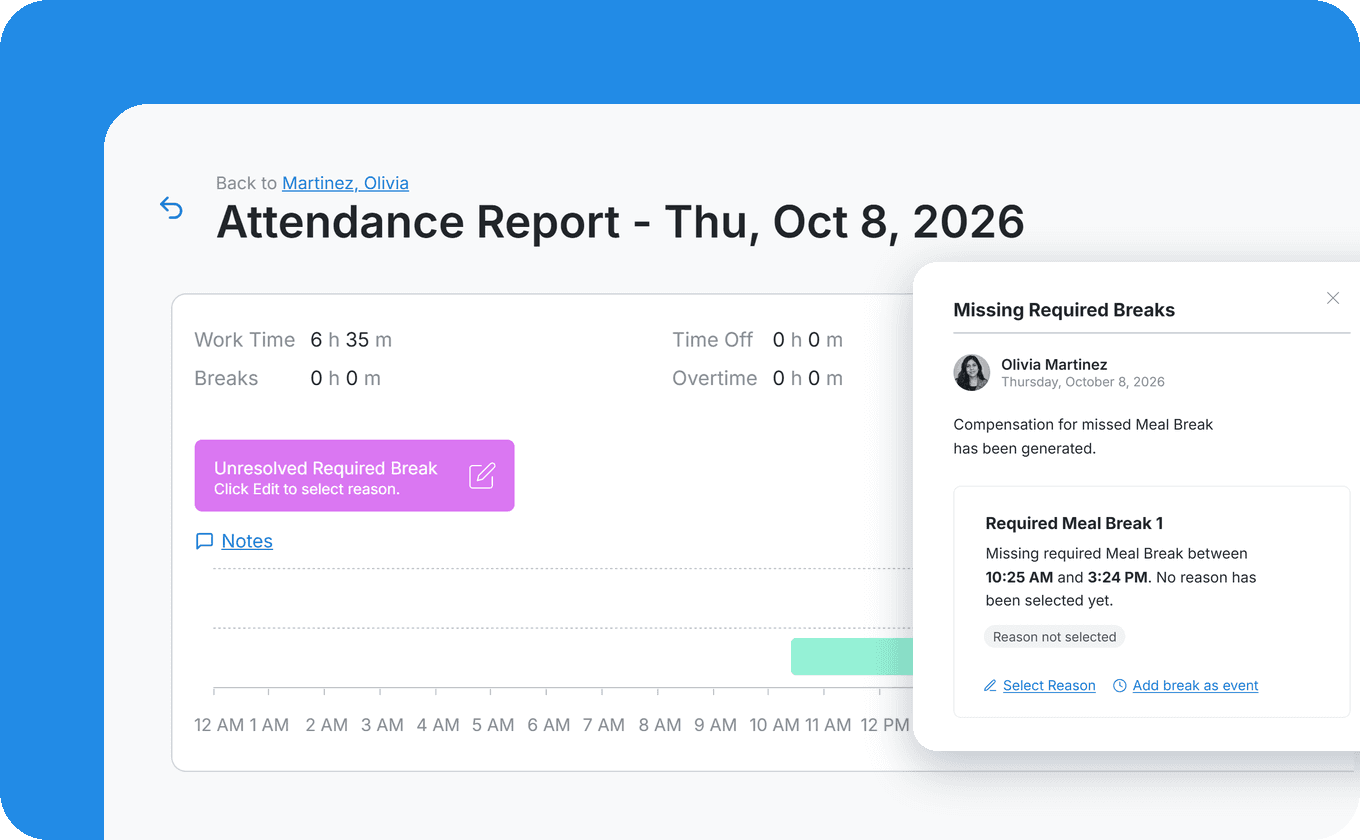
Required meal and rest breaks are tracked through the day, by the rules you configure for each group of employees. A missed meal break is flagged on the day, and missed-break compensation is added if you configure it.
Paid and unpaid breaks
Missed meal break flagged on the day
Rounding and make-up time
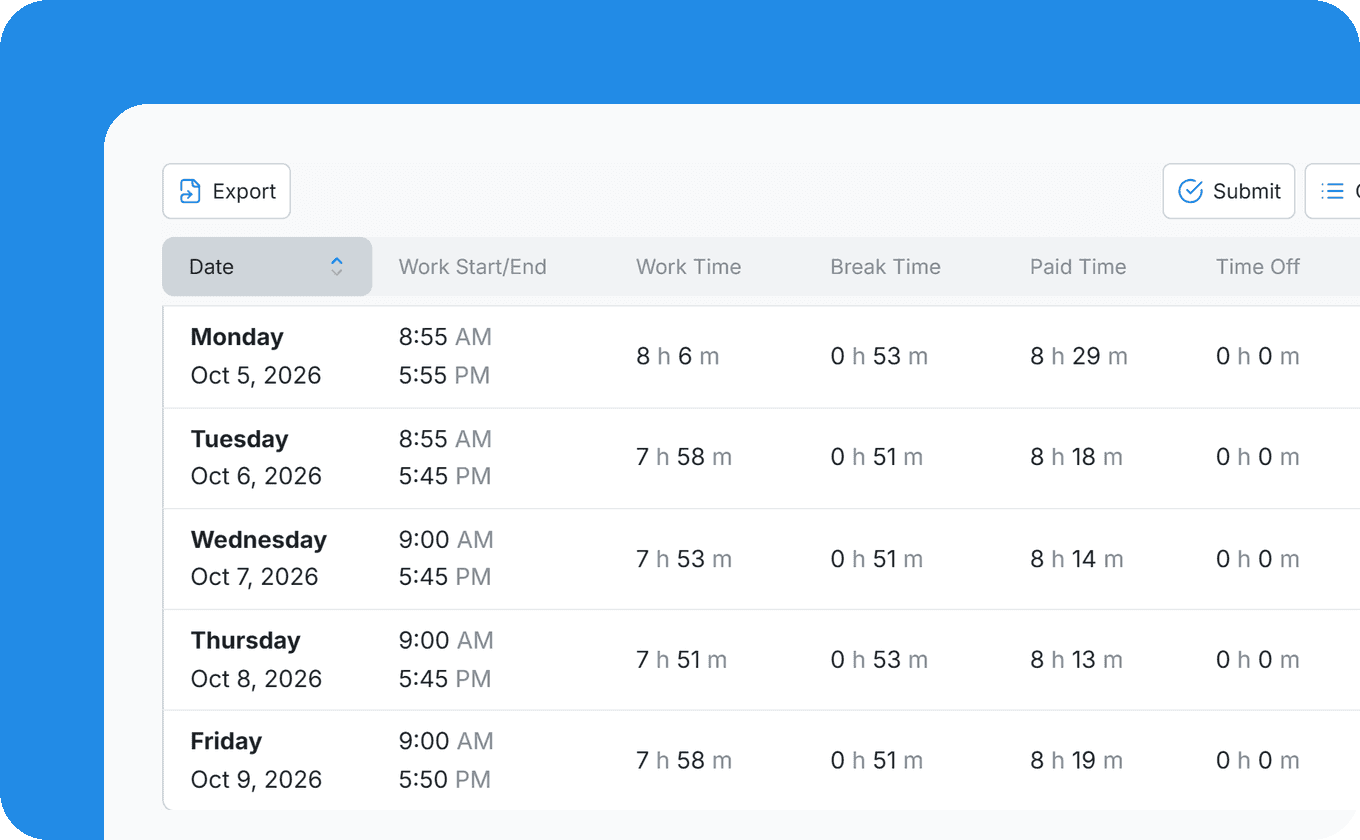
At the end of the period, employees review their history and submit it, confirming the attestation text you set.
Every edit to recorded time is in the change log for the employee to approve or decline, so a correction can be settled before the run instead of arriving as a retroactive entry after it.
Change log of every edit, approved or declined by the employee
Approved time off on the timesheet
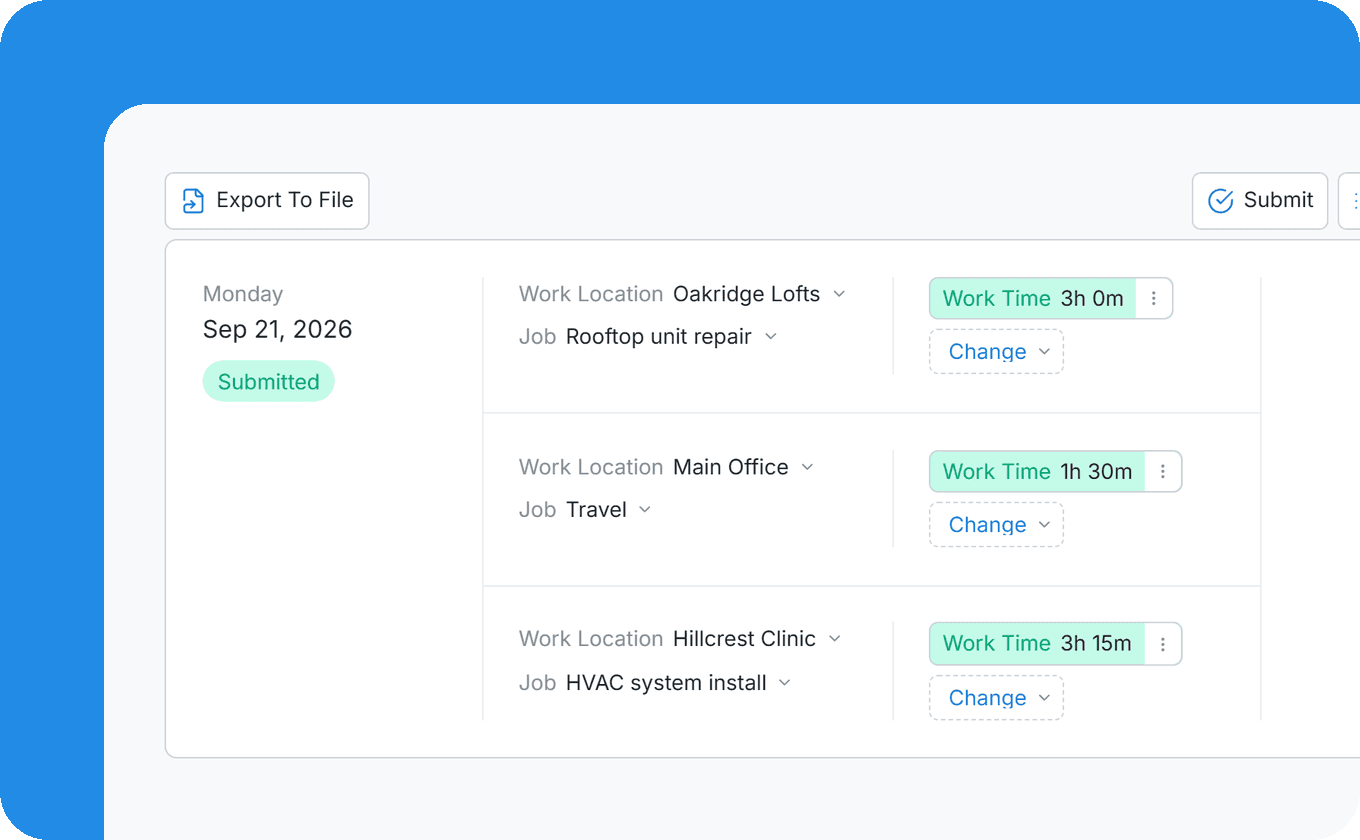
Each line on the timesheet carries a work location and a job costing code, so hours land on the right job and customer site. Employees switch work setup during the day, with several segments per code.
Switch from the time clock
Move events between setups afterwards
More in Time & Attendance
A PIN kiosk on a shared tablet, plus geofence and IP rules for where people may clock in.
Accrual and request policies, requests and approvals, and balances employees can check on their phone.
Shift plans built around who is available and who is off, next to time and time off.
The questions teams ask before moving time tracking into their platform.
Yes. You choose per group of employees: a live time clock, or a timesheet where employees enter their hours and events for each day.
By the rules you configure: hours, days, holidays or consecutive days worked, from the workweek start day you choose, and California daily and 7th-day rules for the employees you assign them to. Payroll can calculate overtime at a weighted-average rate when an employee works at more than one rate in a week.
Yes. You configure daily and 7th-day overtime, consecutive-day rules, and required meal and rest breaks with missed-break compensation. Which rules apply to which employees is your decision.
Yes. Employees switch their work setup during the day, such as the work location or the job costing code, and events can be moved between setups afterwards.
The edit goes into the change log, and the employee approves or declines it.
By a person, with the record in front of them. A missed meal break is flagged on the day, a clock-in outside the geofence is refused with a map of where it was made, and an edit to recorded time waits for the employee's approval in the change log.
That depends on whether they are exempt or non-exempt, a duties and salary test your HR team decides, not a job title. You choose per group of employees whether they use a time clock, a timesheet or neither.
You choose: hours on the days they were worked, all on the clock-in date, or split at midnight.
See the time clock, breaks and overtime running under your brand.